
[EKS] GitOps 기반 SaaS: 테넌트 인프라 배포 - 1. Terraform 모듈 테스트
최영락님의 AWS EKS Workshop Study(AEWS) 6주차 학습 내용을 기반으로 합니다.
TL;DR
- Git 저장소의
terraform/modules/아래 여러 모듈 중, 테넌트 온보딩 시 동적으로 호출되는 런타임 모듈은tenant-apps하나뿐이다. tenant-appsTerraform 모듈은 테넌트별 AWS 인프라(SQS, DynamoDB, IAM Role, SSM Parameter)를 한 번에 프로비저닝한다.enable_producer = true이면 전용 IRSA(IAM Roles for Service Accounts) Role을 생성하여 총 11개 리소스를,false이면 공유 풀(pool-1)의 기존 Role에 정책만 연결하여 총 10개 리소스를 만든다.- 이 차이가 곧 SaaS 티어(Basic vs Premium/Advanced)의 인프라 격리 수준을 결정한다.
- 이 글에서는
terraform plan까지만 수행한다. 실제terraform apply는 다음 포스트에서 다루는 Tofu Controller가 GitOps 방식으로 대신 실행한다.
테스트 환경 준비
이전 포스트에서 Flux 아키텍처를 분석하면서, Git 저장소에 있는 tenant-apps Terraform 모듈이 Tofu Controller를 통해 자동 실행되는 구조를 확인했다. 이번 포스트에서는 GitOps 자동화로 넘어가기 전에, 이 모듈이 실제로 어떤 리소스를 만드는지 수동으로 검증한다. terraform plan까지만 수행하고, terraform apply는 하지 않는다.
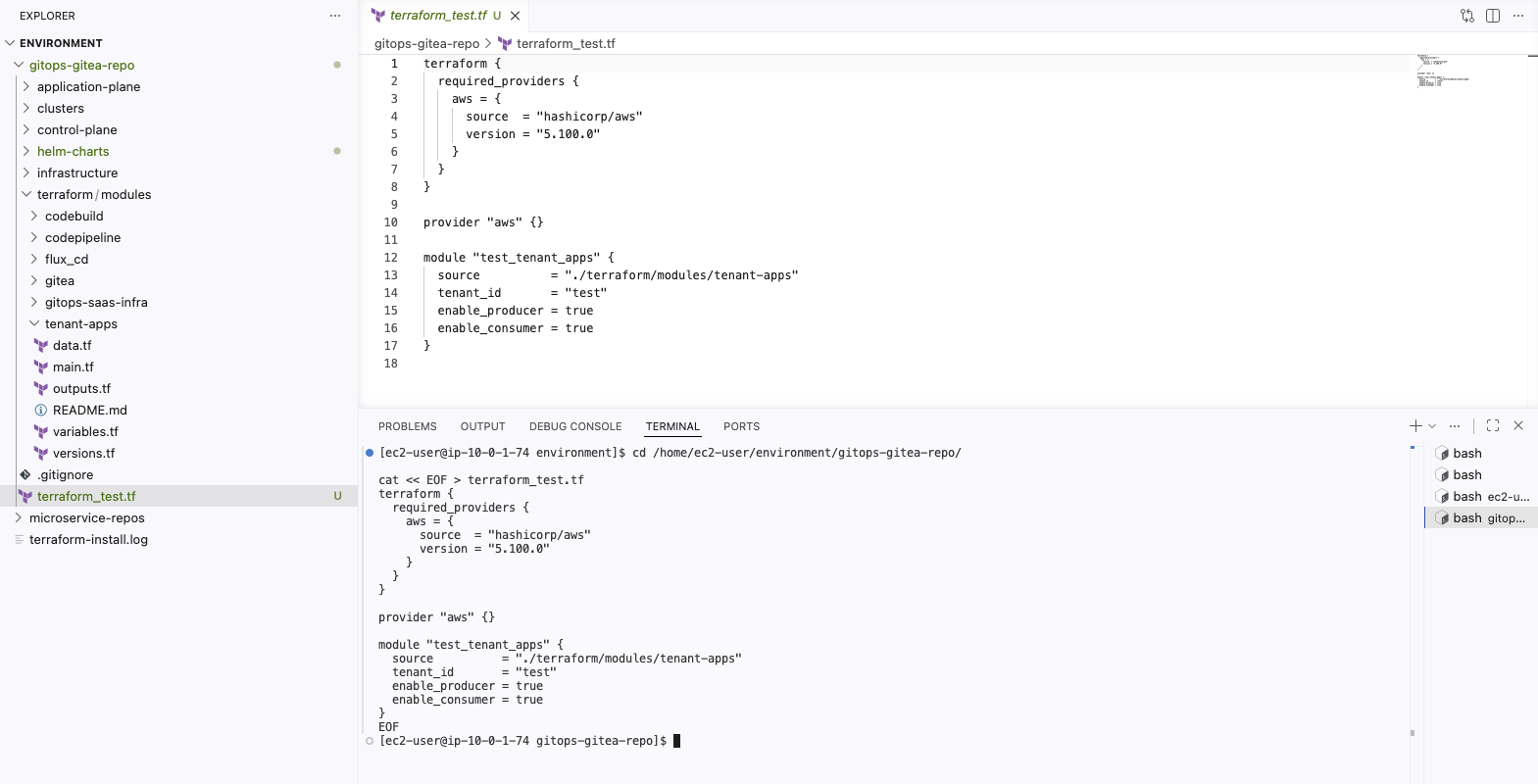
테스트를 위해 gitops-gitea-repo 디렉토리에 테스트용 Terraform 파일을 생성한다. tenant_id를 test로 설정하고, enable_producer와 enable_consumer를 모두 true로 지정한다.
# terraform_test.tf
terraform {
  required_providers {
    aws = {
      source  = "hashicorp/aws"
      version = "5.100.0"
    }
  }
}

provider "aws" {}

module "test_tenant_apps" {
  source          = "./terraform/modules/tenant-apps"
  tenant_id       = "test"
  enable_producer = true   # 전용 Producer Role 생성
  enable_consumer = true   # Consumer 리소스 생성
}
입력 변수는 세 가지다.
| 변수 | 설명 |
|---|---|
tenant_id |
테넌트 식별자. 리소스 이름과 SSM Parameter 경로에 사용된다. |
enable_producer |
true이면 전용 Producer IRSA Role을 생성하고, false이면 공유 풀의 기존 Role을 사용한다. |
enable_consumer |
Consumer 관련 리소스(SQS, DynamoDB, IAM Role 등) 생성 여부를 제어한다. |
이 중 핵심은 enable_producer다. 이 플래그 하나가 테넌트의 인프라 격리 수준을 결정한다.
모듈 구조 분석
저장소 내 위치
Git 저장소의 terraform/modules/ 디렉토리에는 여러 Terraform 모듈이 있지만, 테넌트 온보딩 시점에 동적으로 호출되는 모듈은 tenant-apps 하나뿐이다.
terraform/modules/
├── codebuild/            # CI/CD 빌드
├── codepipeline/         # CI/CD 파이프라인
├── flux_cd/              # EKS에 Flux 부트스트랩
├── gitea/                # Gitea 서버
├── gitops-saas-infra/    # 워크숍 사전 프로비저닝 (EKS, VPC 등)
└── tenant-apps/          # 테넌트 1명당 호출되는 런타임 모듈
    ├── data.tf
    ├── main.tf
    ├── outputs.tf
    ├── variables.tf
    └── versions.tf
나머지 모듈(gitops-saas-infra, flux_cd 등)은 워크숍 환경을 사전에 프로비저닝할 때 한 번 사용되고, 이후 테넌트가 추가될 때마다 실행되는 것은 tenant-apps다.
핵심 조건 분기: main.tf
enable_producer 플래그가 plan 결과를 어떻게 분기시키는지, main.tf의 핵심 로직을 살펴보자.
전용 모드 (enable_producer = true && enable_consumer = true): 전용 Producer IRSA Role을 생성한다.
# 전용 Producer IRSA Role 생성 조건
module "producer_irsa_role" {
  count   = var.enable_producer == true && var.enable_consumer == true ? 1 : 0
  source  = "terraform-aws-modules/iam/aws//modules/iam-role-for-service-accounts-eks"
  version = "5.30.0"

  role_name = "producer-role-${var.tenant_id}"

  role_policy_arns = {
    policy = aws_iam_policy.producer-iampolicy[0].arn
  }

  oidc_providers = {
    main = {
      provider_arn               = local.irsa_principal_arn
      namespace_service_accounts = ["${var.tenant_id}:${var.tenant_id}-producer"]
    }
  }
}
공유 모드 (enable_producer = false && enable_consumer = true): 전용 Role을 만들지 않고, 기존 공유 풀의 producer-role-pool-1에 Policy만 연결한다.
# 공유 풀 Role에 Policy 연결 조건
resource "aws_iam_role_policy_attachment" "sto-readonly-role-policy-attach" {
  count      = var.enable_producer == false && var.enable_consumer == true ? 1 : 0
  role       = "producer-role-pool-1"
  policy_arn = aws_iam_policy.producer-iampolicy[0].arn
}
두 리소스의 count 조건이 상호 배타적이다. enable_producer가 true이면 producer_irsa_role 모듈이 활성화되어 전용 Role + Policy 연결 = 2개 리소스가 생기고, false이면 sto-readonly-role-policy-attach만 활성화되어 1개 리소스가 생긴다. 2개 vs 1개, 즉 1개 차이가 곧 11개 vs 10개의 코드 근거다.
한편, Producer IAM Policy 자체의 생성 조건은 enable_consumer == true다.
resource "aws_iam_policy" "producer-iampolicy" {
  count = var.enable_consumer == true ? 1 : 0
  name  = "producer-policy-${var.tenant_id}"
  # ...
}
enable_producer와 무관하게 Consumer가 활성화되어 있으면 Producer Policy는 항상 생성된다. Policy를 어디에 연결하느냐만 enable_producer가 결정하는 구조다.
terraform plan 실행: 전용 모드
초기화
terraform init을 실행하면 tenant-apps 모듈과 그 하위 모듈이 다운로드된다.
$ terraform init
Initializing modules...
- test_tenant_apps in terraform/modules/tenant-apps
# Consumer, Producer 각각에 대해 IRSA Role 모듈 다운로드
Downloading registry.terraform.io/terraform-aws-modules/iam/aws 5.30.0 for test_tenant_apps.consumer_irsa_role...
Downloading registry.terraform.io/terraform-aws-modules/iam/aws 5.30.0 for test_tenant_apps.producer_irsa_role...

Terraform has been successfully initialized!
Consumer와 Producer 각각에 대해 terraform-aws-modules/iam/aws 5.30.0 모듈을 다운로드한다. 이 모듈이 IRSA Role 생성을 담당한다.
terraform init 전체 출력
$ terraform init
Initializing the backend...
Initializing modules...
- test_tenant_apps in terraform/modules/tenant-apps
Downloading registry.terraform.io/terraform-aws-modules/iam/aws 5.30.0 for test_tenant_apps.consumer_irsa_role...
- test_tenant_apps.consumer_irsa_role in .terraform/modules/test_tenant_apps.consumer_irsa_role/modules/iam-role-for-service-accounts-eks
Downloading registry.terraform.io/terraform-aws-modules/iam/aws 5.30.0 for test_tenant_apps.producer_irsa_role...
- test_tenant_apps.producer_irsa_role in .terraform/modules/test_tenant_apps.producer_irsa_role/modules/iam-role-for-service-accounts-eks
Initializing provider plugins...
- Finding hashicorp/aws versions matching ">= 4.0.0, >= 5.0.0, 5.100.0"...
- Finding hashicorp/random versions matching ">= 2.0.0"...
- Installing hashicorp/aws v5.100.0...
- Installed hashicorp/aws v5.100.0 (signed by HashiCorp)
- Installing hashicorp/random v3.8.1...
- Installed hashicorp/random v3.8.1 (signed by HashiCorp)
Terraform has created a lock file .terraform.lock.hcl to record the provider
selections it made above. Include this file in your version control repository
so that Terraform can guarantee to make the same selections by default when
you run "terraform init" in the future.

Terraform has been successfully initialized!

You may now begin working with Terraform. Try running "terraform plan" to see
any changes that are required for your infrastructure. All Terraform commands
should now work.

If you ever set or change modules or backend configuration for Terraform,
rerun this command to reinitialize your working directory. If you forget, other
commands will detect it and remind you to do so if necessary.
Plan 결과
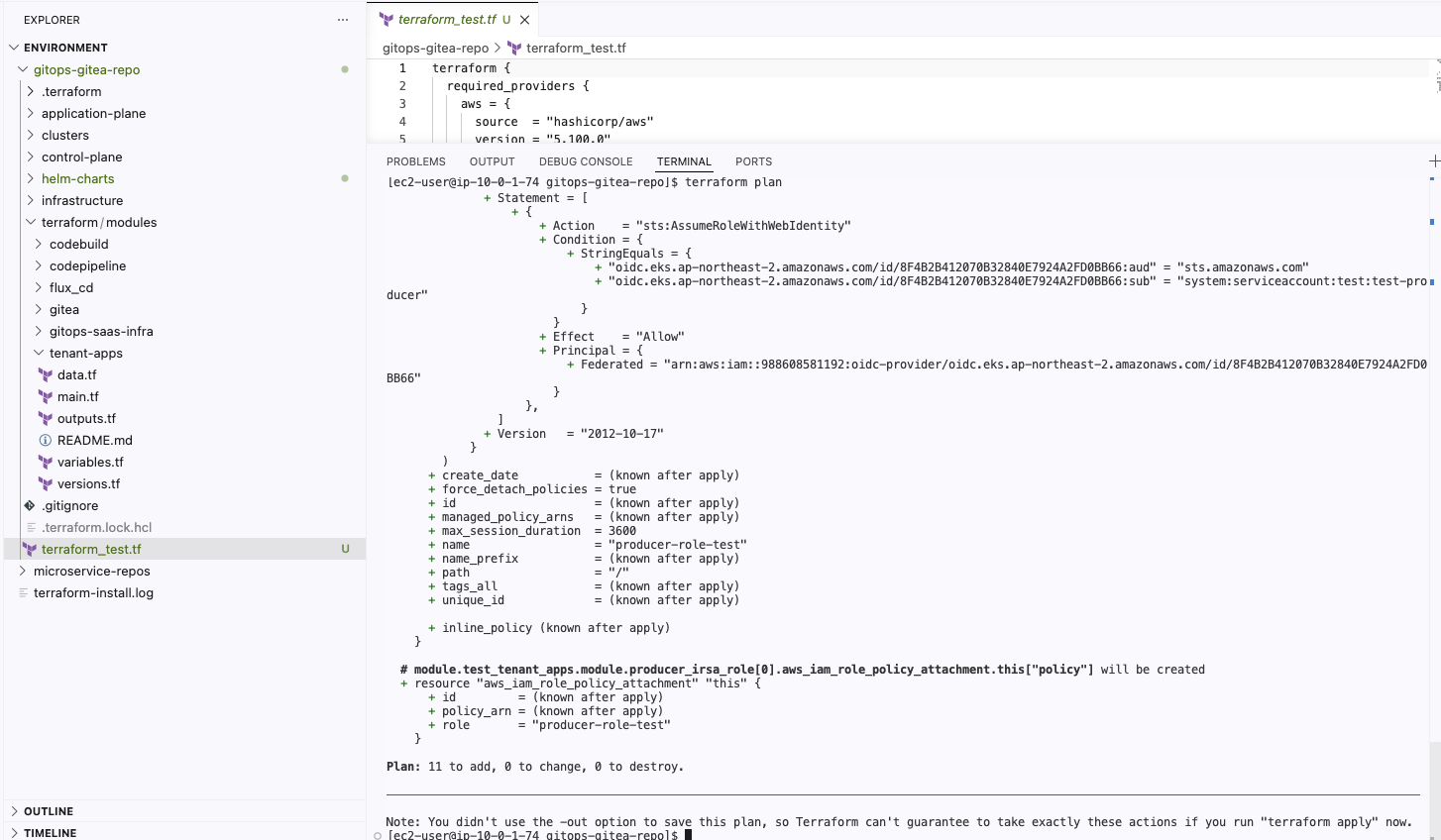
terraform plan을 실행하면 11개 리소스가 생성 예정임을 확인할 수 있다.
Plan: 11 to add, 0 to change, 0 to destroy.
생성되는 리소스를 역할별로 정리하면 다음과 같다.
| # | 리소스 | 설명 |
|---|---|---|
| 1 | aws_dynamodb_table.consumer_ddb |
Consumer용 DynamoDB 테이블. tenant_id와 message_id를 키로 사용한다. |
| 2 | aws_sqs_queue.consumer_sqs |
Consumer용 SQS 큐. 메시지 수신 채널이다. |
| 3 | aws_iam_policy.consumer-iampolicy |
Consumer Pod가 SQS, DynamoDB에 접근하기 위한 IAM Policy. |
| 4 | aws_iam_policy.producer-iampolicy |
Producer Pod가 SQS에 메시지를 발행하기 위한 IAM Policy. |
| 5 | aws_ssm_parameter.dedicated_consumer_ddb |
DynamoDB ARN을 저장하는 SSM Parameter. 경로: /<tenant_id>/consumer_ddb |
| 6 | aws_ssm_parameter.dedicated_consumer_sqs |
SQS URL을 저장하는 SSM Parameter. 경로: /<tenant_id>/consumer_sqs |
| 7 | random_string.random_suffix |
리소스 이름 충돌 방지를 위한 3자리 랜덤 접미사. |
| 8 | Consumer IRSA Role | Consumer ServiceAccount에 바인딩되는 IAM Role. |
| 9 | Consumer Role ↔ Policy 연결 | Consumer IRSA Role에 Consumer Policy를 연결한다. |
| 10 | Producer IRSA Role | 전용 Producer Role. enable_producer = true일 때만 생성된다. |
| 11 | Producer Role ↔ Policy 연결 | 전용 Producer Role에 Producer Policy를 연결한다. |
10번과 11번이 enable_producer = true일 때만 생성되는 리소스다.
Producer IRSA Role의 assume role policy를 보면, EKS 클러스터의 OIDC(OpenID Connect) Provider를 통해 test 네임스페이스의 test-producer ServiceAccount만 이 Role을 사용하도록 제한하고 있다.
{
  "Statement": [
    {
      "Action": "sts:AssumeRoleWithWebIdentity",
      "Condition": {
        "StringEquals": {
          "oidc.eks.ap-northeast-2.amazonaws.com/id/ABCD1234EFGH5678IJKL9012MNOP3456:aud": "sts.amazonaws.com",
          "oidc.eks.ap-northeast-2.amazonaws.com/id/ABCD1234EFGH5678IJKL9012MNOP3456:sub": "system:serviceaccount:test:test-producer"
        }
      },
      "Effect": "Allow",
      "Principal": {
        "Federated": "arn:aws:iam::123456789012:oidc-provider/oidc.eks.ap-northeast-2.amazonaws.com/id/ABCD1234EFGH5678IJKL9012MNOP3456"
      }
    }
  ],
  "Version": "2012-10-17"
}
이 구조가 IRSA의 핵심이다. Pod에 할당된 ServiceAccount가 OIDC를 통해 IAM Role을 assume하므로, Pod 단위로 AWS 리소스 접근 권한을 세밀하게 제어할 수 있다.
terraform plan 전체 출력
$ terraform plan
# data source 읽기
module.test_tenant_apps.module.consumer_irsa_role[0].data.aws_caller_identity.current: Reading...
module.test_tenant_apps.module.producer_irsa_role[0].data.aws_caller_identity.current: Reading...
module.test_tenant_apps.data.aws_eks_cluster.eks-saas-gitops: Reading...
module.test_tenant_apps.data.aws_caller_identity.current: Read complete after 0s [id=123456789012]
module.test_tenant_apps.data.aws_eks_cluster.eks-saas-gitops: Read complete after 0s [id=eks-saas-gitops]

Terraform used the selected providers to generate the following execution plan.
Resource actions are indicated with the following symbols:
  + create

Terraform will perform the following actions:

  # module.test_tenant_apps.aws_dynamodb_table.consumer_ddb[0] will be created
  + resource "aws_dynamodb_table" "consumer_ddb" {
      + arn              = (known after apply)
      + billing_mode     = "PAY_PER_REQUEST"
      + hash_key         = "tenant_id"
      + id               = (known after apply)
      + name             = (known after apply)
      + range_key        = "message_id"
      + tags             = {
          + "Name" = "test"
        }
      + write_capacity   = (known after apply)

      + attribute {
          + name = "message_id"
          + type = "S"
        }
      + attribute {
          + name = "tenant_id"
          + type = "S"
        }
    }

  # module.test_tenant_apps.aws_iam_policy.consumer-iampolicy[0] will be created
  + resource "aws_iam_policy" "consumer-iampolicy" {
      + arn    = (known after apply)
      + id     = (known after apply)
      + name   = "consumer-policy-test"
      + path   = "/"
      + policy = (known after apply)
    }

  # module.test_tenant_apps.aws_iam_policy.producer-iampolicy[0] will be created
  + resource "aws_iam_policy" "producer-iampolicy" {
      + arn    = (known after apply)
      + id     = (known after apply)
      + name   = "producer-policy-test"
      + path   = "/"
      + policy = (known after apply)
    }

  # module.test_tenant_apps.aws_sqs_queue.consumer_sqs[0] will be created
  + resource "aws_sqs_queue" "consumer_sqs" {
      + arn                         = (known after apply)
      + delay_seconds               = 0
      + fifo_queue                  = false
      + id                          = (known after apply)
      + max_message_size            = 262144
      + message_retention_seconds   = 345600
      + name                        = (known after apply)
      + tags                        = {
          + "Name" = "test"
        }
      + visibility_timeout_seconds  = 30
    }

  # module.test_tenant_apps.aws_ssm_parameter.dedicated_consumer_ddb[0] will be created
  + resource "aws_ssm_parameter" "dedicated_consumer_ddb" {
      + arn   = (known after apply)
      + id    = (known after apply)
      + name  = "/test/consumer_ddb"
      + type  = "String"
      + value = (sensitive value)
    }

  # module.test_tenant_apps.aws_ssm_parameter.dedicated_consumer_sqs[0] will be created
  + resource "aws_ssm_parameter" "dedicated_consumer_sqs" {
      + arn   = (known after apply)
      + id    = (known after apply)
      + name  = "/test/consumer_sqs"
      + type  = "String"
      + value = (sensitive value)
    }

  # module.test_tenant_apps.random_string.random_suffix will be created
  + resource "random_string" "random_suffix" {
      + id      = (known after apply)
      + length  = 3
      + lower   = true
      + result  = (known after apply)
      + special = false
      + upper   = false
    }

  # module.test_tenant_apps.module.consumer_irsa_role[0].aws_iam_role.this[0] will be created
  + resource "aws_iam_role" "this" {
      + arn                   = (known after apply)
      + assume_role_policy    = jsonencode(
            {
              + Statement = [
                  + {
                      + Action    = "sts:AssumeRoleWithWebIdentity"
                      + Condition = {
                          + StringEquals = {
                              + "oidc.eks.ap-northeast-2.amazonaws.com/id/ABCD1234EFGH5678IJKL9012MNOP3456:aud" = "sts.amazonaws.com"
                              + "oidc.eks.ap-northeast-2.amazonaws.com/id/ABCD1234EFGH5678IJKL9012MNOP3456:sub" = "system:serviceaccount:test:test-consumer"
                            }
                        }
                      + Effect    = "Allow"
                      + Principal = {
                          + Federated = "arn:aws:iam::123456789012:oidc-provider/oidc.eks.ap-northeast-2.amazonaws.com/id/ABCD1234EFGH5678IJKL9012MNOP3456"
                        }
                    },
                ]
              + Version   = "2012-10-17"
            }
        )
      + force_detach_policies = true
      + id                    = (known after apply)
      + max_session_duration  = 3600
      + name                  = "consumer-role-test"
      + path                  = "/"
    }

  # module.test_tenant_apps.module.consumer_irsa_role[0].aws_iam_role_policy_attachment.this["policy"] will be created
  + resource "aws_iam_role_policy_attachment" "this" {
      + id         = (known after apply)
      + policy_arn = (known after apply)
      + role       = "consumer-role-test"
    }

  # module.test_tenant_apps.module.producer_irsa_role[0].aws_iam_role.this[0] will be created
  + resource "aws_iam_role" "this" {
      + arn                   = (known after apply)
      + assume_role_policy    = jsonencode(
            {
              + Statement = [
                  + {
                      + Action    = "sts:AssumeRoleWithWebIdentity"
                      + Condition = {
                          + StringEquals = {
                              + "oidc.eks.ap-northeast-2.amazonaws.com/id/ABCD1234EFGH5678IJKL9012MNOP3456:aud" = "sts.amazonaws.com"
                              + "oidc.eks.ap-northeast-2.amazonaws.com/id/ABCD1234EFGH5678IJKL9012MNOP3456:sub" = "system:serviceaccount:test:test-producer"
                            }
                        }
                      + Effect    = "Allow"
                      + Principal = {
                          + Federated = "arn:aws:iam::123456789012:oidc-provider/oidc.eks.ap-northeast-2.amazonaws.com/id/ABCD1234EFGH5678IJKL9012MNOP3456"
                        }
                    },
                ]
              + Version   = "2012-10-17"
            }
        )
      + force_detach_policies = true
      + id                    = (known after apply)
      + max_session_duration  = 3600
      + name                  = "producer-role-test"
      + path                  = "/"
    }

  # module.test_tenant_apps.module.producer_irsa_role[0].aws_iam_role_policy_attachment.this["policy"] will be created
  + resource "aws_iam_role_policy_attachment" "this" {
      + id         = (known after apply)
      + policy_arn = (known after apply)
      + role       = "producer-role-test"
    }

Plan: 11 to add, 0 to change, 0 to destroy.
terraform plan 실행: 공유 모드
이번에는 enable_producer를 false로 변경하고 다시 plan을 실행한다.
# terraform_test.tf (수정)
module "test_tenant_apps" {
  source          = "./terraform/modules/tenant-apps"
  tenant_id       = "test"
  enable_producer = false  # 공유 풀의 기존 Role 사용
  enable_consumer = true
}
결과는 10개 리소스 생성 예정이다.
Plan: 10 to add, 0 to change, 0 to destroy.
11개에서 10개로 줄었지만, 단순히 리소스가 빠지기만 한 것이 아니다. 모듈 구조 분석에서 확인한 count 조건의 상호 배타 구조가 plan 결과에 그대로 반영된다.
빠진 리소스 (2개): producer_irsa_role 모듈 비활성화
producer_irsa_role[0].aws_iam_role.this[0]→ 전용 Producer IRSA Roleproducer_irsa_role[0].aws_iam_role_policy_attachment.this["policy"]→ 전용 Role에 Policy 연결
추가된 리소스 (1개): sto-readonly-role-policy-attach 활성화
aws_iam_role_policy_attachment.sto-readonly-role-policy-attach[0]→ 공유 풀producer-role-pool-1에 Producer Policy 연결
전용 모드의 2개가 빠지고 공유 모드의 1개가 추가되어, 2 - 1 = 1개 차이로 11 → 10이 된다.
공유 모드에서 추가되는 리소스의 plan 출력을 보면, role 필드가 producer-role-pool-1로 지정되어 있다.
# 공유 풀의 기존 Role에 이 테넌트의 Producer Policy를 연결
+ resource "aws_iam_role_policy_attachment" "sto-readonly-role-policy-attach" {
    + id         = (known after apply)
    + policy_arn = (known after apply)
    + role       = "producer-role-pool-1"
  }
새 Role을 만들지 않고, 이미 존재하는 producer-role-pool-1이라는 공유 Role에 이 테넌트의 Producer Policy만 붙이는 구조다.
공유 모드 terraform plan 전체 출력
$ terraform plan
# data source 읽기
module.test_tenant_apps.data.aws_eks_cluster.eks-saas-gitops: Reading...
module.test_tenant_apps.data.aws_caller_identity.current: Reading...
module.test_tenant_apps.data.aws_caller_identity.current: Read complete after 0s [id=123456789012]
module.test_tenant_apps.data.aws_eks_cluster.eks-saas-gitops: Read complete after 0s [id=eks-saas-gitops]

Terraform used the selected providers to generate the following execution
plan. Resource actions are indicated with the following symbols:
  + create

Terraform will perform the following actions:

  # module.test_tenant_apps.aws_dynamodb_table.consumer_ddb[0] will be created
  + resource "aws_dynamodb_table" "consumer_ddb" {
      + arn              = (known after apply)
      + billing_mode     = "PAY_PER_REQUEST"
      + hash_key         = "tenant_id"
      + id               = (known after apply)
      + name             = (known after apply)
      + range_key        = "message_id"
      + tags             = {
          + "Name" = "test"
        }
      + write_capacity   = (known after apply)

      + attribute {
          + name = "message_id"
          + type = "S"
        }
      + attribute {
          + name = "tenant_id"
          + type = "S"
        }
    }

  # module.test_tenant_apps.aws_iam_policy.consumer-iampolicy[0] will be created
  + resource "aws_iam_policy" "consumer-iampolicy" {
      + arn    = (known after apply)
      + id     = (known after apply)
      + name   = "consumer-policy-test"
      + path   = "/"
      + policy = (known after apply)
    }

  # module.test_tenant_apps.aws_iam_policy.producer-iampolicy[0] will be created
  + resource "aws_iam_policy" "producer-iampolicy" {
      + arn    = (known after apply)
      + id     = (known after apply)
      + name   = "producer-policy-test"
      + path   = "/"
      + policy = (known after apply)
    }

  # module.test_tenant_apps.aws_iam_role_policy_attachment.sto-readonly-role-policy-attach[0] will be created
  + resource "aws_iam_role_policy_attachment" "sto-readonly-role-policy-attach" {
      + id         = (known after apply)
      + policy_arn = (known after apply)
      + role       = "producer-role-pool-1"
    }

  # module.test_tenant_apps.aws_sqs_queue.consumer_sqs[0] will be created
  + resource "aws_sqs_queue" "consumer_sqs" {
      + arn                         = (known after apply)
      + delay_seconds               = 0
      + fifo_queue                  = false
      + id                          = (known after apply)
      + max_message_size            = 262144
      + message_retention_seconds   = 345600
      + name                        = (known after apply)
      + tags                        = {
          + "Name" = "test"
        }
      + visibility_timeout_seconds  = 30
    }

  # module.test_tenant_apps.aws_ssm_parameter.dedicated_consumer_ddb[0] will be created
  + resource "aws_ssm_parameter" "dedicated_consumer_ddb" {
      + arn   = (known after apply)
      + id    = (known after apply)
      + name  = "/test/consumer_ddb"
      + type  = "String"
      + value = (sensitive value)
    }

  # module.test_tenant_apps.aws_ssm_parameter.dedicated_consumer_sqs[0] will be created
  + resource "aws_ssm_parameter" "dedicated_consumer_sqs" {
      + arn   = (known after apply)
      + id    = (known after apply)
      + name  = "/test/consumer_sqs"
      + type  = "String"
      + value = (sensitive value)
    }

  # module.test_tenant_apps.random_string.random_suffix will be created
  + resource "random_string" "random_suffix" {
      + id      = (known after apply)
      + length  = 3
      + lower   = true
      + result  = (known after apply)
      + special = false
      + upper   = false
    }

  # module.test_tenant_apps.module.consumer_irsa_role[0].aws_iam_role.this[0] will be created
  + resource "aws_iam_role" "this" {
      + arn                   = (known after apply)
      + assume_role_policy    = jsonencode(
            {
              + Statement = [
                  + {
                      + Action    = "sts:AssumeRoleWithWebIdentity"
                      + Condition = {
                          + StringEquals = {
                              + "oidc.eks.ap-northeast-2.amazonaws.com/id/ABCD1234EFGH5678IJKL9012MNOP3456:aud" = "sts.amazonaws.com"
                              + "oidc.eks.ap-northeast-2.amazonaws.com/id/ABCD1234EFGH5678IJKL9012MNOP3456:sub" = "system:serviceaccount:test:test-consumer"
                            }
                        }
                      + Effect    = "Allow"
                      + Principal = {
                          + Federated = "arn:aws:iam::123456789012:oidc-provider/oidc.eks.ap-northeast-2.amazonaws.com/id/ABCD1234EFGH5678IJKL9012MNOP3456"
                        }
                    },
                ]
              + Version   = "2012-10-17"
            }
        )
      + force_detach_policies = true
      + id                    = (known after apply)
      + max_session_duration  = 3600
      + name                  = "consumer-role-test"
      + path                  = "/"
    }

  # module.test_tenant_apps.module.consumer_irsa_role[0].aws_iam_role_policy_attachment.this["policy"] will be created
  + resource "aws_iam_role_policy_attachment" "this" {
      + id         = (known after apply)
      + policy_arn = (known after apply)
      + role       = "consumer-role-test"
    }

Plan: 10 to add, 0 to change, 0 to destroy.
전용 vs 공유: 비교 분석
먼저 리소스별로 두 모드를 비교하면 다음과 같다.
| 리소스 | 공통 | Basic (공유 풀) | Premium/Advanced (전용) |
|---|---|---|---|
| SQS 큐 (consumer) | O | O | O |
| DynamoDB 테이블 | O | O | O |
| Consumer IRSA Role | O | O | O |
| Consumer IAM Policy | O | O | O |
| Producer IAM Policy | O | O | O |
| SSM Parameter x2 | O | O | O |
| random_string (suffix) | O | O | O |
| Producer IRSA Role | - | 공유 풀 Role 재사용 | 전용 생성 |
| 총 리소스 수 | 9개 | 10개 | 11개 |
분기 지점만 추출하면 다음과 같다.
enable_producer = true (전용) |
enable_producer = false (공유) |
|
|---|---|---|
| Producer IAM Role | 전용 Role 생성 (producer-role-test) |
생성하지 않음 |
| Producer Role ↔ Policy 연결 | 전용 Role에 연결 | - |
| 공유 Role에 Policy 연결 | - | producer-role-pool-1에 연결 |
공통 리소스 9개는 두 모드 모두 동일하게 생성된다. 모듈 구조 분석에서 확인했듯이, enable_producer가 false여도 Producer IAM Policy 자체는 여전히 생성된다. 달라지는 것은 그 Policy를 어떤 Role에 연결하느냐다.
enable_producer = true일 때 전용 Role을 만드는 이유는 보안 격리에 있다. IRSA의 assume role policy에서 특정 네임스페이스의 특정 ServiceAccount만 해당 Role을 사용하도록 제한하기 때문에, 전용 Role을 가진 테넌트는 자신만의 격리된 IAM 권한 경계를 갖는다. 반면 enable_producer = false인 테넌트들은 producer-role-pool-1이라는 공유 Role에 각자의 Policy를 붙이는 방식이므로, Role 자체는 공유하되 Policy로만 권한을 구분한다.
이것이 SaaS 티어 차이의 기술적 구현 방식이다. Premium/Advanced 티어에는 전용 인프라를 부여하고, Basic 티어는 공유 풀에서 운영한다. 그리고 이 분기를 enable_producer라는 변수 하나로 제어한다.
Terraform 모듈을 사용하면 여러 리소스의 생성을 단일 인터페이스로 추상화할 수 있다. 모듈 사용자(플랫폼 운영자)는 DynamoDB 테이블의 스키마나 IRSA Role의 trust policy 구조 같은 내부 구현을 알 필요 없이, tenant_id, enable_producer, enable_consumer 세 가지 변수만 설정하면 된다. 이것이 플랫폼 엔지니어링에서 말하는 “추상화의 가치”가 실제로 구현되는 방식이다.
정리
테스트가 끝났으므로 테스트 파일을 삭제한다.
rm -rf /home/ec2-user/environment/gitops-gitea-repo/terraform_test.tf
이번 포스트에서 확인한 내용을 요약하면 다음과 같다.
- 모듈 입력:
tenant_id,enable_producer,enable_consumer세 가지 변수 - 모듈 출력: DynamoDB, SQS, IAM Policy, IRSA Role, SSM Parameter 등 테넌트별 AWS 인프라 세트
- 핵심 분기:
enable_producer플래그 하나로 전용 인프라(11개 리소스)와 공유 풀(10개 리소스)을 제어 - 수행한 것:
terraform plan까지만 실행하여 모듈의 동작을 검증 - 수행하지 않은 것:
terraform apply는 실행하지 않았다
실제 리소스 생성(apply)은 직접 하지 않는다. 다음 포스트에서 다루는 Tofu Controller가 이 Terraform 모듈을 Kubernetes CRD(Custom Resource Definition)로 선언하여 GitOps 방식으로 자동 실행한다.

댓글남기기